Joiner / Mover / Leaver processes are where identity governance meets a lot of plumbing. The logic is not complicated — someone arrives, someone changes role, someone leaves — but every target system has its own API, its own attribute names and its own idea of what identifies a person, and the integration is traditionally hand-written for each one.
This is how the Entra ID side of that is built in Monokee: as a flow on the Visual Identity Orchestrator, made of steps that can be saved and used again on the next project.
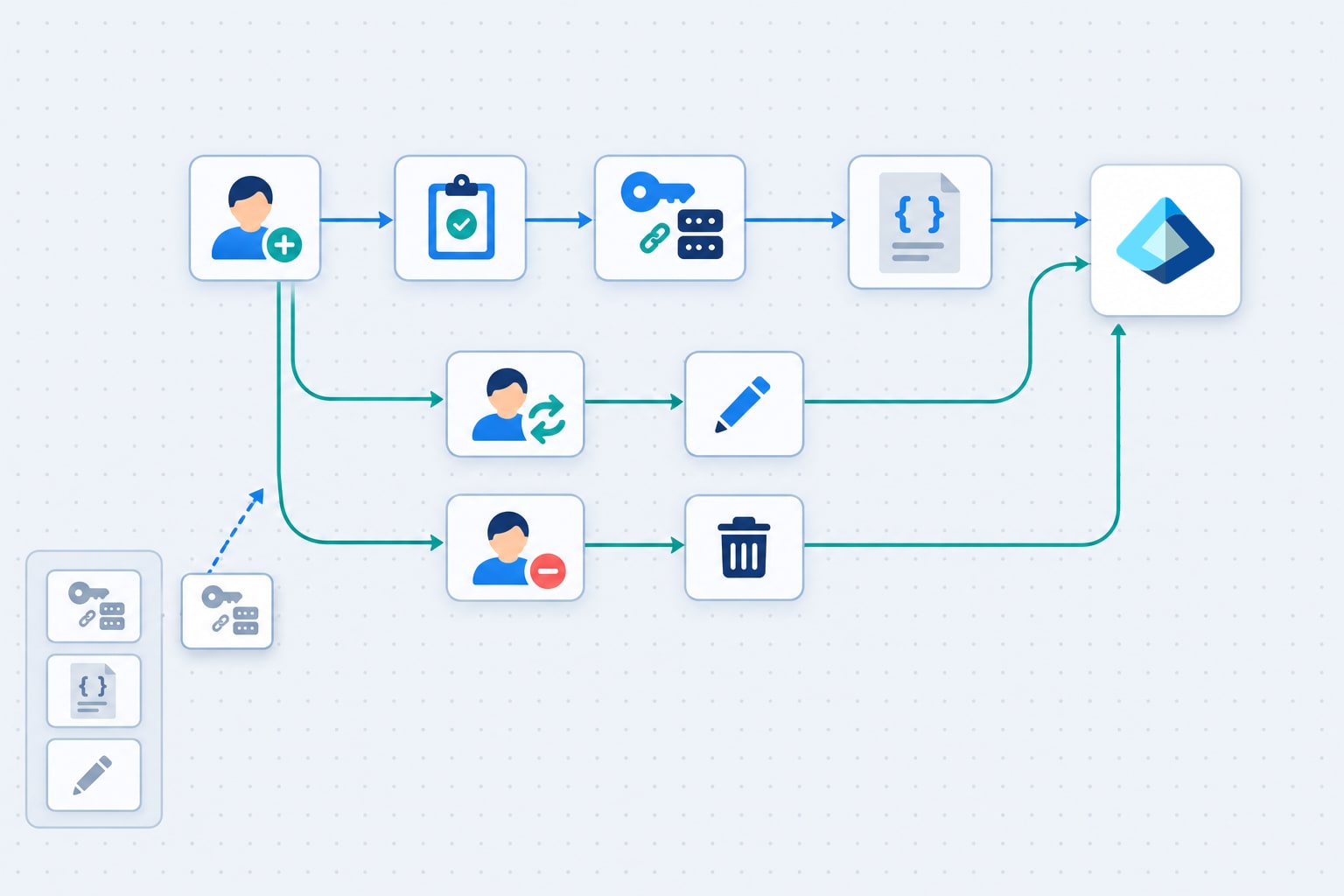
Before you start
Two things have to exist first.
On Microsoft Entra, a tenant with a Graph API application whose permissions have been granted by an administrator. The set needed to read and write users and groups is:
User.Read.All · User.ReadBasic.All · User.ReadWrite.All · Group.Read.All ·
Group.ReadWrite.All · PrivilegedAccess.Read.AzureAD ·
PrivilegedAccess.Read.AzureADGroup
On Monokee, a domain to build in. Nothing else: no agent to install on the Entra side, no code to deploy.
Provisioning a user, step by step
1. The person is registered
New users arrive through Monokee’s self-service flows. The attributes captured there are stored in the Monokee identity repository, which from this point on is the source the rest of the process reads from.
2. The account is requested, and approved
The Entra account is not created because a user record exists. It is requested through a dedicated workflow, which raises the request for administrator review. Approval is a step in the flow, not a convention outside it — which is what makes the eventual creation attributable to a decision rather than to a script.
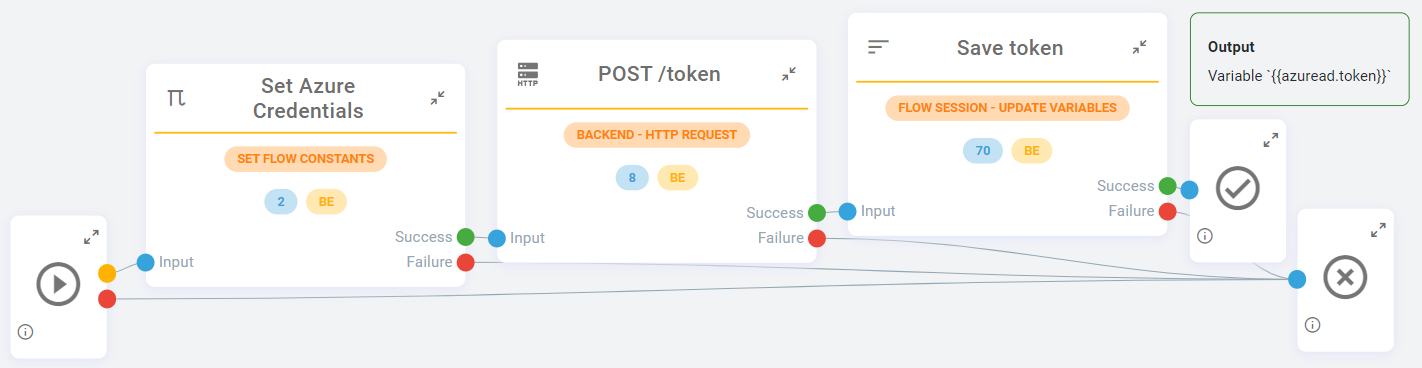
3. Monokee authenticates to Graph
On approval, the flow authenticates against Microsoft Entra using the OpenID Connect client credentials grant. This is machine-to-machine: no user is involved and no user’s session is borrowed, which is what you want for a process that runs at three in the morning as readily as at three in the afternoon.
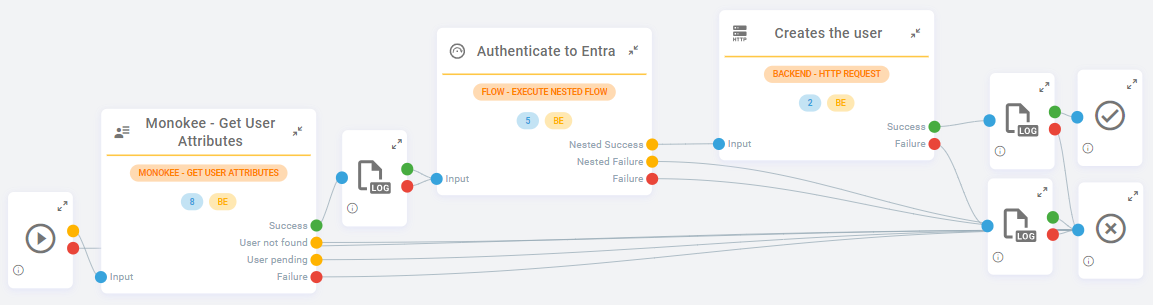
4. The user is created
The flow reads the person’s attributes from the identity vault and computes the ImmutableID as the SHA-256 of the user identifier — a stable, derived value, so the link between the two systems does not depend on anything an administrator might edit later.
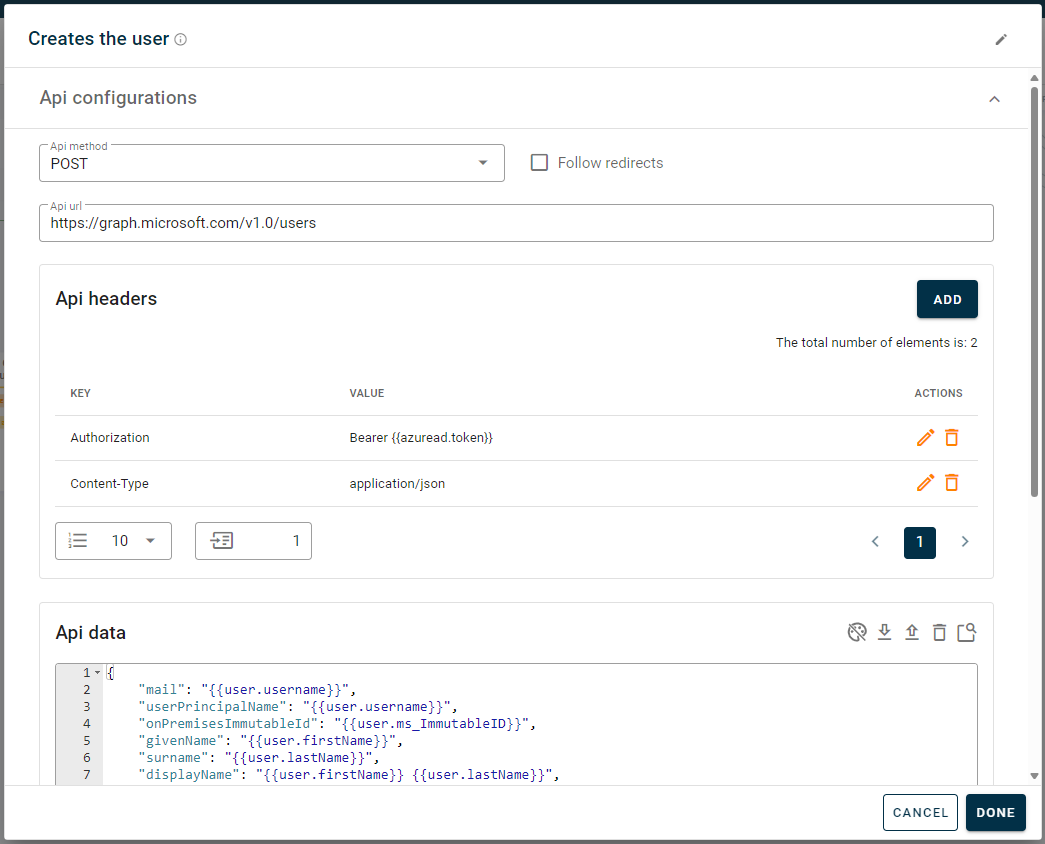
Then a single POST to the Graph API creates the account:
{
  "mail": "{{user.username}}",
  "userPrincipalName": "{{user.username}}",
  "onPremisesImmutableId": "{{user.ms_ImmutableID}}",
  "givenName": "{{user.firstName}}",
  "surname": "{{user.lastName}}",
  "displayName": "{{user.firstName}} {{user.lastName}}",
  "accountEnabled": true,
  "mailNickname": "{{user.ms_ImmutableID}}",
  "usageLocation": "IT"
}
The {{…}} placeholders are flow variables: the payload is a template filled from the
identity repository at execution time, not a body assembled in code.
Mover and Leaver
Changes and departures follow the same shape. The flow reads the current attributes and
issues a PATCH to the appropriate Graph endpoint to update the record, or removes it
outright.
Worth stating plainly, because it is the point of automating the L as well as the J: a leaver is only closed when the account is actually gone from the target system. A process that provisions automatically and de-provisions by ticket leaves exactly the accounts an access review will later have to find.
The part that pays off twice
The flow above is useful. What makes it worth building is that each step can be saved as a reusable node.
The authentication step, the create call, the update call: once configured, they become building blocks that the next Entra integration starts from instead of redrawing. The work goes into the part that differs — which populations, which approvals, which attributes — rather than into rebuilding the same client-credentials handshake for the fourth time.
That reuse is also why the flow stays readable. A node that has been used on three projects has had its edge cases found on three projects.
Where to go next
The orchestration model is described on the Visual Identity Orchestrator page, the lifecycle process around it on Joiner / Mover / Leaver automation, and the wider set of target systems on Connectors.